Cloudways is $11/month. DigitalOcean, the cloud Cloudways runs on, bought direct, is $12/month for the exact same 2 GB droplet. The managed dashboard, Redis caching, Imunify360 firewall, free SSL, 1-click vertical scaling, and staging environments come bundled at zero markup at the entry tier. That's a real economic anomaly, and most managed-cloud reviews don't surface it. Here's where the math lands, where the platform earns the upgrade against shared hosting, and where it doesn't.
The verdict in 60 seconds
For solo founders running revenue-generating WordPress, WooCommerce, Magento, or Laravel sites, Cloudways at $11/month is the strongest managed-cloud pick in 2026. The architecture (BYO-cloud + managed services + 1-click vertical scaling) lands between shared hosting and raw VPS. Shared hosting wins below 10K visitors; raw VPS wins if you have DevOps skills. Cloudways wins the messy middle.
Honest weaknesses: no email hosting, $11/month entry is 3.7x Hostinger’s intro, and the dashboard takes a week to learn. Worth it if the site generates revenue or runs WooCommerce, Magento, or Laravel. Not worth it for a 2K-visitor personal blog.
Cloudways is currently offering 30% off for 3 months plus unlimited free expert migrations to new customers. Use code MIGRATE303 at signup — valid through June 30, 2026. Try Cloudways →
Cloudways absorbs the managed overhead at zero markup at the entry tier.
Cloudways Flexible is $11/month for a 2 GB DigitalOcean droplet. The same droplet bought direct from DigitalOcean is $12/month. The managed dashboard, caching stack, security tooling, vertical scaling, free SSL, and staging environments come bundled at no extra cost. That’s a real economic anomaly worth noticing.
What you actually get with a Cloudways plan
The Cloudways product splits into two distinct offerings, and the distinction matters more than the marketing flattens it. Solo founders looking at $11-$88/month want Flexible; high-traffic operators looking at $100+/month want Autonomous.
Cloudways Flexible is the original managed-cloud product. You pick a cloud provider (DigitalOcean, Vultr, Linode, AWS, or GCP), pick a server size, and Cloudways layers its managed services on top. Entry tier sits at $11/month for 2 GB RAM, 1 vCPU, 50 GB storage, and 2 TB bandwidth on a DigitalOcean Standard droplet.
Cloudways Autonomous is the newer, fully managed WordPress-on-Kubernetes product. It runs on Google Kubernetes Engine with horizontal autoscaling, Cloudflare Enterprise CDN baked in, Object Cache Pro with Relay, and Redis. Entry paid tier is $100/month. This is the "I had a traffic spike and the site stayed up" product, priced accordingly.
For most solo founders reading this, Flexible is the right starting product. Autonomous earns its keep when you're past 200K monthly visitors and traffic spikes are unpredictable enough to break a vertically-scaled server.
What's included across both products at the $11/month tier:
| Category | What ships at $11/mo |
|---|---|
| Caching stack | NGINX Lightning Stack, Varnish, Memcached, Redis, Breeze plugin pre-installed, free Object Cache Pro |
| Security | Imunify360 dedicated firewall, L3/L4 DDoS mitigation, Patchstack vulnerability scanning, 2FA, Fail2Ban |
| SSL | Free Let’s Encrypt with 1-click activation |
| Backups | Automated backups, 1-click restore, free advanced staging environments |
| Scaling | 1-click vertical scaling of RAM, CPU, storage via dashboard slider |
| Apps | 1-click install for WordPress, WooCommerce, Magento, Laravel, PHP |
| Dev access | SSH/SFTP, Git auto-deployment, server + app cloning |
| Monitoring | 16+ server metrics, New Relic integration optional, CloudwaysBot alerts |
| Support | 24/7 chat + ticket on all plans; Advanced and Premium upgrades available |
| PHP versions | 5.6 through 8.2, switchable at server level |
Of bundled add-ons inside the $11/month line.
Object Cache Pro retails at $95/month standalone. Imunify360 firewall runs $20-40/month at most VPS resellers. Both ship free on Cloudways at $11/month, alongside Redis, Varnish, Memcached, Let’s Encrypt SSL, automated backups, and staging environments. The commercial advantage of the platform compounds at the entry tier, not the high end.
Performance and reliability: the architectural advantage
Shared hosting puts your site on a server with hundreds of other tenants. Performance degrades when a neighbor gets traffic. Resource caps are real. The fix is server isolation, which is what every VPS, dedicated server, and managed-cloud product gives you.
Cloudways' architectural advantage is that it gives you a dedicated server on enterprise-grade infrastructure (DigitalOcean, AWS, GCP) without the operational overhead of managing it yourself. The NGINX Lightning Stack handles request routing. Varnish caches static responses. Redis caches database queries. The Breeze plugin handles WordPress-side page caching. All four layers ship pre-configured on every plan.
The vertical scaling matters more than the spec sheet suggests. When traffic moves from 10K to 100K monthly visitors, the dashboard slider takes the 2 GB droplet to 8 GB without a server migration, without DNS changes, without a maintenance window. Click, confirm, done. The same upgrade on a raw VPS means spinning up a new instance, snapshotting, restoring, repointing DNS, and waiting for propagation. Realistic time cost: 2-4 hours of attentive work, more if anything breaks.
Cloudways' vendor claim of 99.99% uptime is a vendor claim. The underlying providers (DigitalOcean's published SLA, AWS, GCP) carry their own uptime commitments. The honest framing: uptime on Cloudways inherits from the cloud provider you pick, with Cloudways' own monitoring layer auto-healing servers when their internal checks catch failures. The platform tracks 16+ server-level metrics with optional Slack and email alerts via CloudwaysBot.
Pricing tiers: where the math actually lands

Cloudways Flexible runs on five providers, with pricing that scales by the underlying cloud's economics. DigitalOcean Standard is the cheapest entry; AWS and GCP cost more for equivalent specs but carry their respective ecosystem benefits.
| Plan | RAM / vCPU / Storage / Bandwidth | Cloudways Flexible (DO Standard) | DigitalOcean direct (DIY) |
|---|---|---|---|
| Micro / Small (entry) | 2 GB / 1 vCPU / 50 GB / 2 TB | $11/mo | $12/mo |
| Medium (most popular) | 8 GB / 4 vCPU / 160 GB / 5 TB | $88/mo | ~$48/mo (Premium Intel) |
| 8XL (high-traffic) | 128 GB / 24 vCPU / 2.5 TB / 11 TB | $342/mo | ~$176/mo |
At the entry tier, the spread is essentially zero. Cloudways Flexible's $11/month for the 2 GB DigitalOcean configuration is $1 less than DO's direct pricing for the same specs, with the managed services absorbed at no markup. That zero-overhead anomaly disappears at the Medium tier, where the trade-off becomes time-saved-on-ops vs cost-saved-on-cloud.
Break-even on the Cloudways Medium-tier premium.
The $40/month gap between Cloudways Medium ($88) and DigitalOcean Premium Intel direct (~$48) pays for itself if managed services save more than 96 minutes of DevOps work per month at a conservative $25/hour indie rate. Most operators recoup that on cache configuration and security patching alone, before backups or vertical-scaling time gets counted.
Cloudways Autonomous prices differently. Growth tier at $100/month adds Kubernetes-backed horizontal autoscaling, Cloudflare Enterprise CDN, and Object Cache Pro with Relay. Scale at $200/month doubles baseline servers. Plus at $400/month adds more headroom. This isn't a solo-founder product unless you're running a content site with viral traffic patterns. For steady 10K-200K monthly visitor sites, Flexible at $11-$88/month is the right tier.
Migration service: the switching-cost eliminator
Most managed hosting reviews bury migration as a footnote. That's the wrong call. Migration friction is the single biggest reason hosting upgrades stall. The "I'd switch but the migration headache stops me" objection kills more upgrades than price ever does.
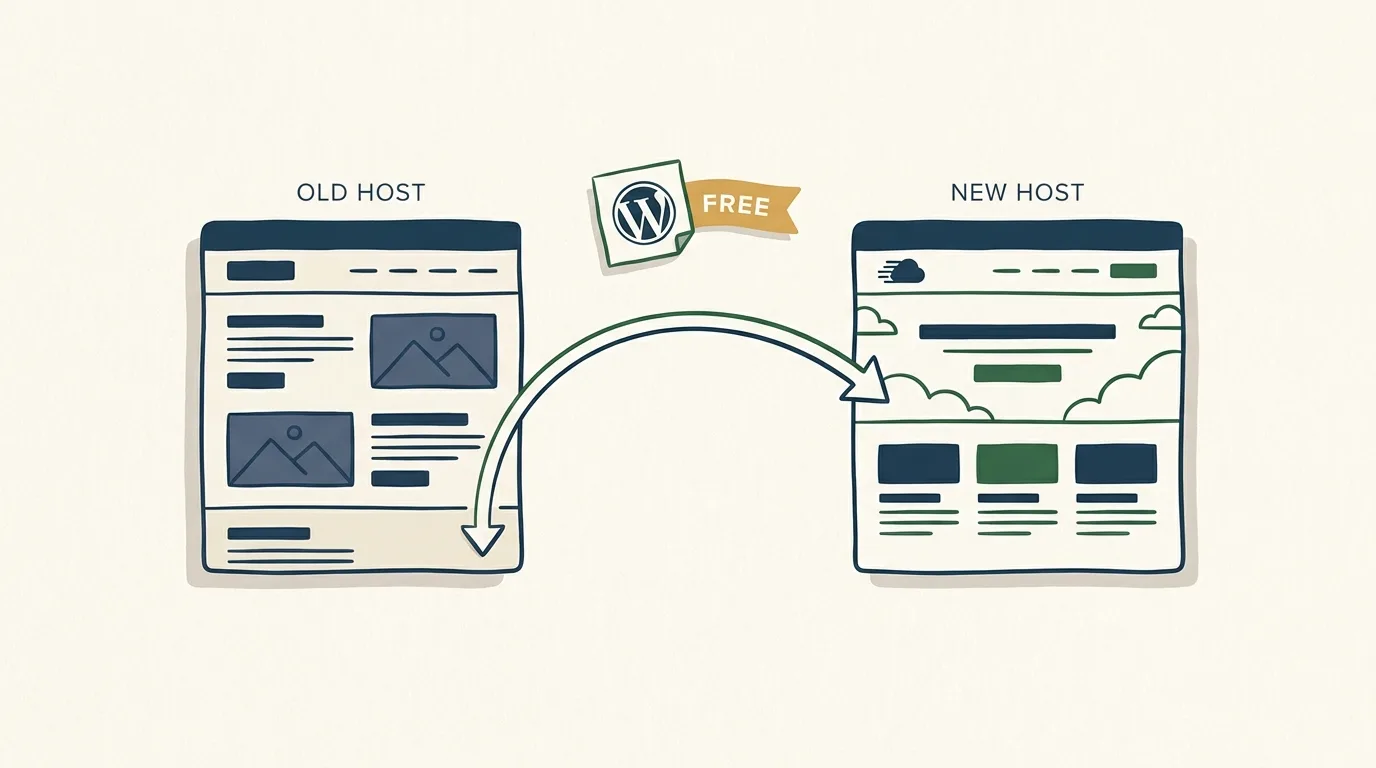
Cloudways' migration policy attacks this objection on two fronts.
For WordPress sites, migrations are unlimited and free, permanently, via the Cloudways WordPress Migrator plugin. Self-service. You install the plugin on the source site, enter your Cloudways credentials, and the plugin handles the database export, file transfer, URL search-replace, and verification. Migration completion typically runs minutes, not hours. There's no per-site cap, no time limit, no "free for first migration only" asterisk on the plugin path.
For non-WordPress applications (Magento, Laravel, custom PHP), the first expert-managed migration is free. Cloudways' support engineers handle the database import, file transfer, DNS coordination, and pre-launch testing. Additional non-WordPress migrations run $99 per site as a standard paid add-on.
This is the baseline policy. It's already a switching-cost eliminator for any WordPress operator with multiple sites. The current promo widens the funnel further.
MIGRATE303: expires June 30, 2026
Cloudways is currently offering 30% off for 3 months plus unlimited free expert migrations to new customers. Use code MIGRATE303 at signup — valid through June 30, 2026.
At the entry tier, that works out to $7.70/month for the first 3 months, then $11/month standard. Expert-managed migrations cover WordPress, WooCommerce, Magento, Laravel, and other PHP applications; the $99-per-site fee on additional non-WordPress migrations is waived for the duration of the promo.
Compared against the industry norm for managed hosts, Cloudways' standard migration policy already runs more generous than most. Most managed-host competitors charge per-site migration fees outside of intro promotions. The Cloudways WordPress Migrator plugin sidesteps that entirely on the WP side. For multi-site WordPress operators, this is unambiguously a positive differentiator.
If you're sitting on a managed-shared host with 5-10 WordPress sites and the upgrade math has stalled at "but the migration nightmare," Cloudways' WordPress Migrator plugin is the path that gets you unstuck.
Where Cloudways falls short
The honest weakness section. Three real gaps from category-level analysis:
No email hosting included. Cloudways doesn't run mail servers. If you want [email protected], you connect Rackspace Email ($1-3/mailbox/month), Google Workspace ($6/user/month), or Zoho Mail (free tier available). For a solo founder, this is a $0-72/year add-on, not a deal-breaker. But it's a non-zero friction step that shared hosts like Hostinger bundle for free. If you're moving from cPanel-style shared hosting expecting mail to come along, plan for the email migration separately.
The $11/month entry price is 3.7x Hostinger's $2.99/month intro tier. This is the most-cited objection in shared-vs-managed comparisons, and it's accurate as stated. For a site doing under 10K monthly visitors with no commercial pressure, the Hostinger intro tier is meaningfully cheaper. The renewal math closes the gap (Hostinger Premium renews at $10.99/month, Business at $16.99/month, Cloud Startup at $25.99/month), but the year-1 difference is real. The decision framework section below addresses when the upgrade earns the price.
The dashboard has a learning curve. Cloudways exposes more controls than a cPanel-style shared host. Server-level settings, application-level settings, vertical scaling slider, cache configuration, SSH/SFTP credentials, staging environments, Git deployment, team roles. First-time cloud users spend ~5-8 hours over the first week getting familiar. Compared to cPanel's "click here for everything" flat menu, Cloudways requires a mental model of server vs application. The payoff is the granular control; the cost is the ramp-up.
A fourth observation worth flagging without elevating to a top-three weakness: Cloudways' Autonomous tier prices ($100/month entry) put the autoscaling product out of reach for most solo founders. The marketing sometimes conflates Flexible's capability with Autonomous's, and the distinction matters when comparing against competitors like Kinsta or WP Engine. Flexible is the solo-founder product. Autonomous is the post-traffic-spike-survival-event upgrade.
Where Cloudways earns the recommendation
The platform earns the upgrade against shared hosting for solo founders in four specific scenarios. Each maps to a reader profile the article opened with.
Scenario 1: WooCommerce store doing $500-$10,000/month in revenue. WooCommerce is database-heavy. The Redis + Object Cache Pro stack on Cloudways measurably outperforms shared hosting on cart-load and checkout latency. Add the vertical scaling slider for sales surges (Black Friday, product launches), and the operational case writes itself. The $40-80/month at the Medium tier is rounding error against the conversion impact of a checkout that doesn't time out.
Scenario 2: Multi-site WordPress operator with 3-10 sites. The WordPress Migrator plugin's unlimited free migrations move every site at no cost. One Cloudways server can host multiple sites cleanly with application isolation. The dashboard team roles let a developer-of-record handle technical maintenance while the operator focuses on content. The economics scale: a single $88/month Medium tier server can host 5-8 light-traffic WordPress sites that would cost $40-50/month each on managed WP hosts.
Scenario 3: Magento or Laravel solo project. Shared hosts handle these stacks poorly. Most need 4 GB+ RAM, custom PHP version control, and SSH access. Cloudways gives all three at the $44/month tier (4 GB RAM, 2 vCPU, 80 GB storage). The first expert migration is free, which alone covers the friction of moving off a poorly-configured VPS.
Scenario 4: WordPress site with unpredictable traffic from social or viral content. Cloudways' 1-click vertical scaling handles 5-10x traffic spikes without a server migration. The dashboard slider takes the 2 GB tier to 8 GB in under a minute. For a site that scales up and down monthly, that compounds.
Saved per traffic-spike scaling event vs raw VPS.
Cloudways’ dashboard slider takes a 2 GB server to 8 GB in under a minute. The equivalent on a raw VPS: snapshot the current instance, spin up a larger instance, restore the snapshot, repoint DNS, wait for propagation. Realistic time cost is 2-4 hours of attentive work per scaling event, more when something breaks during DNS cutover.
Cloudways is currently offering 30% off for 3 months plus unlimited free expert migrations to new customers. Use code MIGRATE303 at signup — valid through June 30, 2026.
Spin up a Cloudways server →
Decision framework: is Cloudways right for you?
Six questions that determine whether the upgrade earns the price. Answer yes to four or more, Cloudways is the right call.
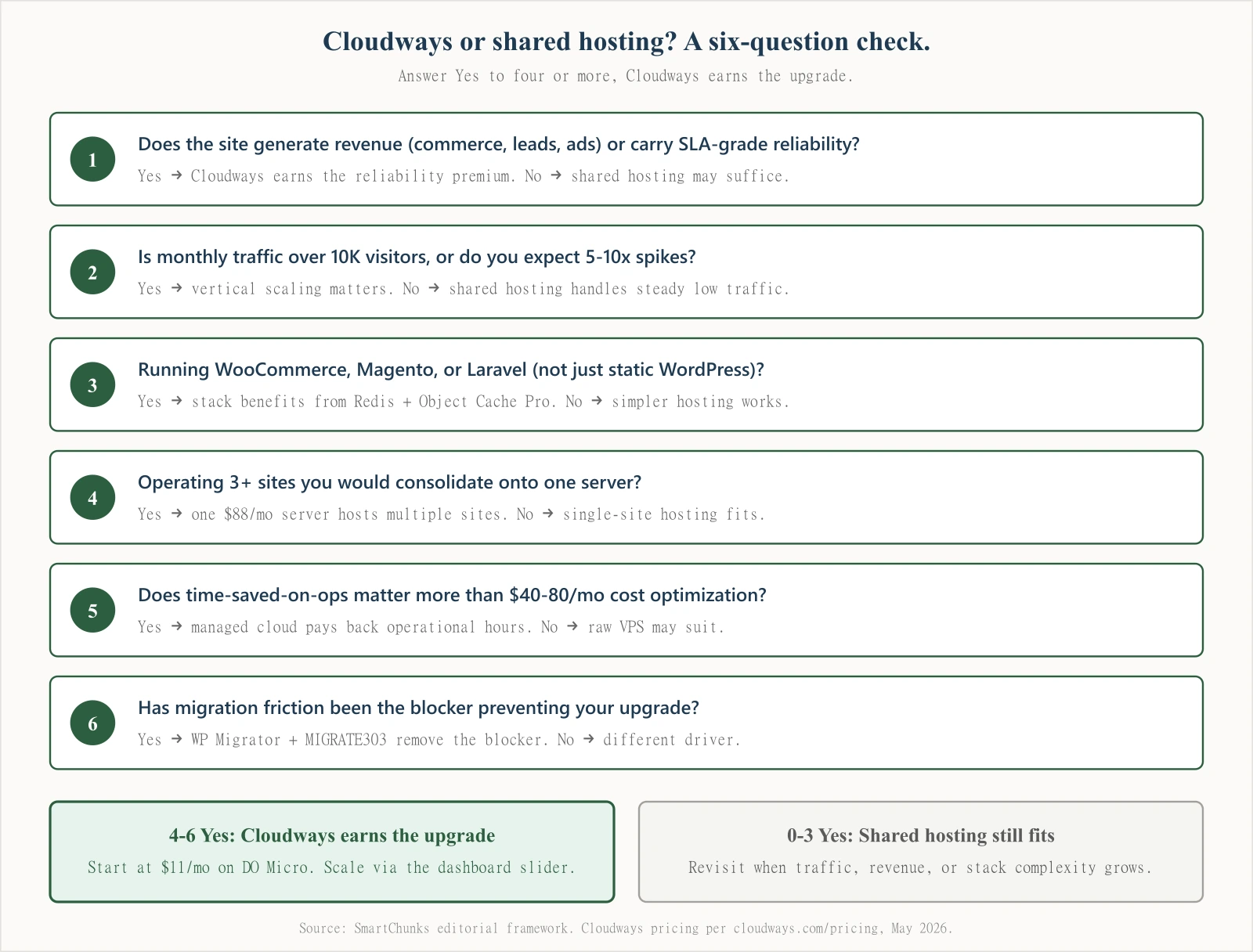
The six questions in plain text (count the Yes answers):
- Does the site generate revenue (commerce, leads, ads) or carry SLA-grade reliability? Yes → Cloudways earns the reliability premium. No → shared hosting may suffice.
- Is monthly traffic over 10K visitors, or do you expect 5-10x spikes? Yes → vertical scaling matters. No → shared hosting handles steady low traffic.
- Are you running WooCommerce, Magento, or Laravel (not just static WordPress)? Yes → the stack benefits from Redis + Object Cache Pro. No → simpler hosting works.
- Are you operating 3+ sites you would consolidate onto one server? Yes → one $88/mo server hosts multiple sites. No → single-site hosting fits better.
- Does time-saved-on-ops matter more than $40-80/mo cost optimization? Yes → managed cloud pays back operational hours. No → raw VPS may suit.
- Has migration friction been the blocker preventing your upgrade? Yes → the WordPress Migrator plugin + MIGRATE303 remove the blocker. No → different driver.
4-6 Yes answers: Cloudways earns the upgrade. Start at $11/month on the DO Micro tier and scale via the dashboard slider.
0-3 Yes answers: Shared hosting still fits. Revisit when traffic, revenue, or stack complexity grows.
The framework's center of gravity sits on questions 3, 4, and 5. A solo founder running a WordPress-only personal site with 2K monthly visitors and no commerce should stay on shared hosting until traffic or revenue moves. A solo founder running a WooCommerce store at $1,500/month revenue with 25K visitors and three plugin-heavy sites should be on Cloudways yesterday. The middle case (one site, 15K visitors, no commerce) sits in the gray zone where Cloudways' learning curve is the deciding factor.
Bottom line: who Cloudways is for
For solo founders running real WordPress, WooCommerce, Magento, or Laravel projects with 10K-200K monthly visitors, Cloudways at $11-$88/month is the strongest managed-cloud pick in the category. The architecture (BYO-cloud + managed services + 1-click vertical scaling) lands the platform in a defensible middle slot between shared hosting and raw VPS. The WordPress Migrator plugin's permanent unlimited free migration policy makes switching costs effectively zero on the WP side. The current MIGRATE303 promo extends that to expert-managed migrations across all supported stacks through June 30, 2026.
Cloudways isn't the right answer if you're under 10K monthly visitors with no commercial pressure (shared hosting cheaper), if you need bundled email (look at Hostinger or SiteGround), or if you have the skills to run a raw VPS and the time savings don't justify $40-80/month at the Medium tier.
Ready to spin up a Cloudways server?
Cloudways is currently offering 30% off for 3 months plus unlimited free expert migrations to new customers. Use code MIGRATE303 at signup — valid through June 30, 2026.
Expert migrations cover WordPress, WooCommerce, Magento, Laravel, and other PHP applications. The code applies automatically when you sign up through the link below.
No credit card required for the trial.
For solo founders weighing the broader hosting stack, the framework holds across categories: pick the abstraction layer that absorbs operational work proportional to your time cost. Cloudways absorbs cloud-server management. Vercel absorbs frontend deploy and CDN. Cloudflare Pages absorbs static-site routing. Each pays back when the time-saved math beats the cost-per-month math at your actual operating scale.
Frequently asked questions
Is Cloudways worth it in 2026?
Yes, for solo founders running revenue-generating WordPress, WooCommerce, Magento, or Laravel sites with 10K+ monthly visitors. The $11/month entry tier is competitive against DigitalOcean's $12/month direct pricing for equivalent specs, with managed services bundled at no markup. The platform earns the upgrade vs shared hosting when site reliability, vertical scalability, and time saved on operations matter more than $40/month cost optimization. For sub-10K visitor personal sites with no commerce, shared hosting remains the cheaper baseline. Sign up for the 3-day free trial via this link to test fit before paying.
How does Cloudways pricing compare to Hostinger?
Cloudways Flexible entry tier is $11/month for 2 GB RAM, 1 vCPU, 50 GB storage, 2 TB bandwidth on a DigitalOcean droplet. Hostinger's shared hosting tiers run $2.99/month intro (Premium, 20 GB NVMe), $3.99/month intro (Business, 50 GB NVMe), $7.99/month intro (Cloud Startup, 100 GB NVMe), with renewals at $10.99, $16.99, and $25.99 respectively. Hostinger is cheaper on intro pricing for shared infrastructure. Cloudways gives dedicated server resources, vertical scaling, and managed cloud services. The right comparison is shared-vs-managed, not price-on-price.
Does Cloudways offer free migrations?
Yes, with nuance. WordPress sites can migrate unlimited times for free using the Cloudways WordPress Migrator plugin (self-service). The first non-WordPress expert-managed migration (Magento, Laravel, PHP) is free; additional expert migrations cost $99 per site as a standard add-on. The current MIGRATE303 promo waives the per-site fee on non-WordPress expert migrations through June 30, 2026, making all expert migrations free during the promo window.
Is Cloudways good for WordPress hosting?
Yes. Cloudways' caching stack (NGINX, Varnish, Memcached, Redis, Breeze, Object Cache Pro) is built around WordPress performance. The platform supports 1-click WordPress installation, automated backups, free SSL, dedicated staging environments, and WP-CLI pre-installed. The WordPress Migrator plugin handles unlimited free site transfers. For WordPress-specific autoscaling on traffic spikes, Cloudways Autonomous (starting $100/month) runs WordPress-on-Kubernetes with horizontal autoscaling and Cloudflare Enterprise CDN bundled in.
When does Cloudways NOT make sense?
Three scenarios. First, a personal WordPress site under 10K monthly visitors with no commerce or revenue pressure: shared hosting at $2.99-$7.99/month is the cheaper baseline. Second, a developer with DevOps skills running a raw $6/month DigitalOcean droplet who values cost optimization over saved time: direct cloud is cheaper. Third, an operation needing bundled email ([email protected]) where shared hosts like Hostinger include mail for free: Cloudways requires a separate email provider like Google Workspace ($6/user/month) or Rackspace Email.
What's the difference between Cloudways Flexible and Cloudways Autonomous?
Cloudways Flexible is the original managed-cloud product. You pick a provider (DigitalOcean, Vultr, Linode, AWS, GCP) and a server size, and Cloudways layers managed services on top. Vertical scaling via dashboard slider. Entry tier $11/month. Cloudways Autonomous is fully managed WordPress hosting on Kubernetes (GKE) with horizontal autoscaling, Cloudflare Enterprise CDN, Object Cache Pro with Relay, and Redis included. Entry paid tier $100/month. Flexible is the solo-founder product; Autonomous is the high-traffic-survival product.
Can I switch from shared hosting to Cloudways without downtime?
Yes, if you're on WordPress. The Cloudways WordPress Migrator plugin handles the full transfer (database, files, URL rewrites) and supports zero-downtime cutover when paired with TTL-lowered DNS records ahead of the switch. Migration completion runs minutes for small sites. For Magento and Laravel, Cloudways' expert support handles the migration end-to-end at no charge for the first site (or unlimited under the MIGRATE303 promo through June 30, 2026).
Disclosure: this article includes affiliate links to Cloudways. Smart Chunks may earn a commission if you sign up via these links at no extra cost to you. Recommendations are based on our editorial analysis of pricing, features, and platform documentation as fetched on May 14, 2026. See our editorial standards for the full methodology.